Block the carriage
Place the performer between the tables and check the camera position against the curved LED wall.
Block the carriage
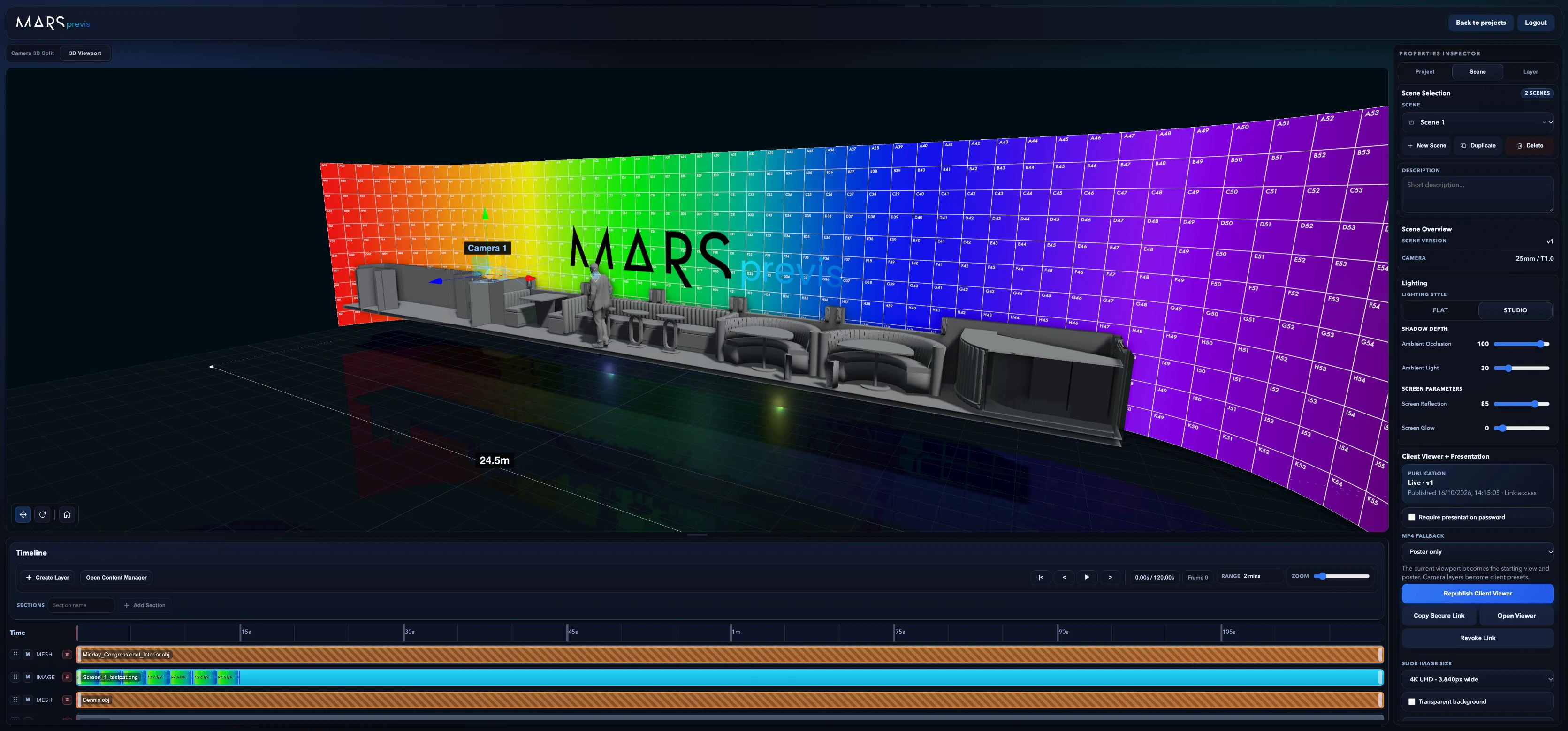
Place the performer between the tables and check the camera position against the curved LED wall.

Virtual production previsualisation
Build your set, place the LED walls and look through the camera. Work out what the lens will see before you get to the stage.
Explore the train projectProject study
Three captures from the train interior scene.
Select a frame to inspect the full interface.
Place the performer between the tables and check the camera position against the curved LED wall.
Place the performer between the tables and check the camera position against the curved LED wall.
Set the curve in Screen Builder. This wall wraps 55 columns of half-metre panels around the set, 11 panels high.
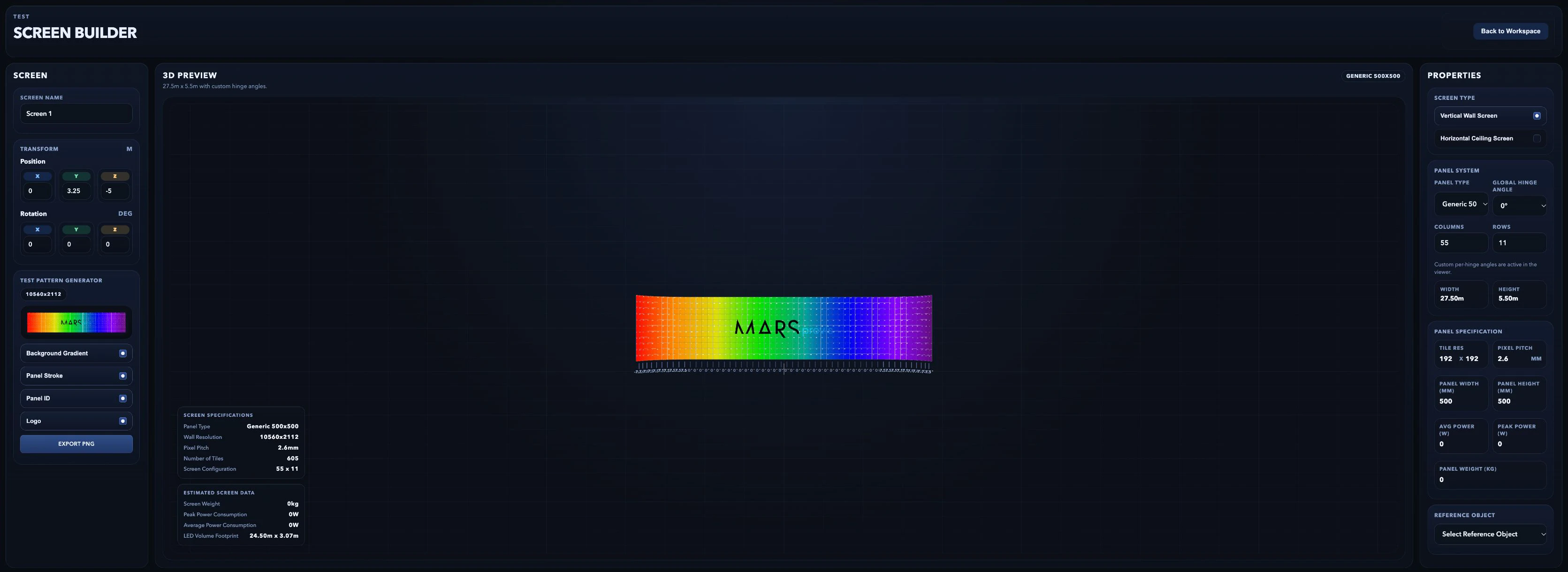
Set the curve in Screen Builder. This wall wraps 55 columns of half-metre panels around the set, 11 panels high.
Compare the stage view with the 25 mm Super 35 camera. The 2.39:1 guides show where the carriage windows fall in frame.
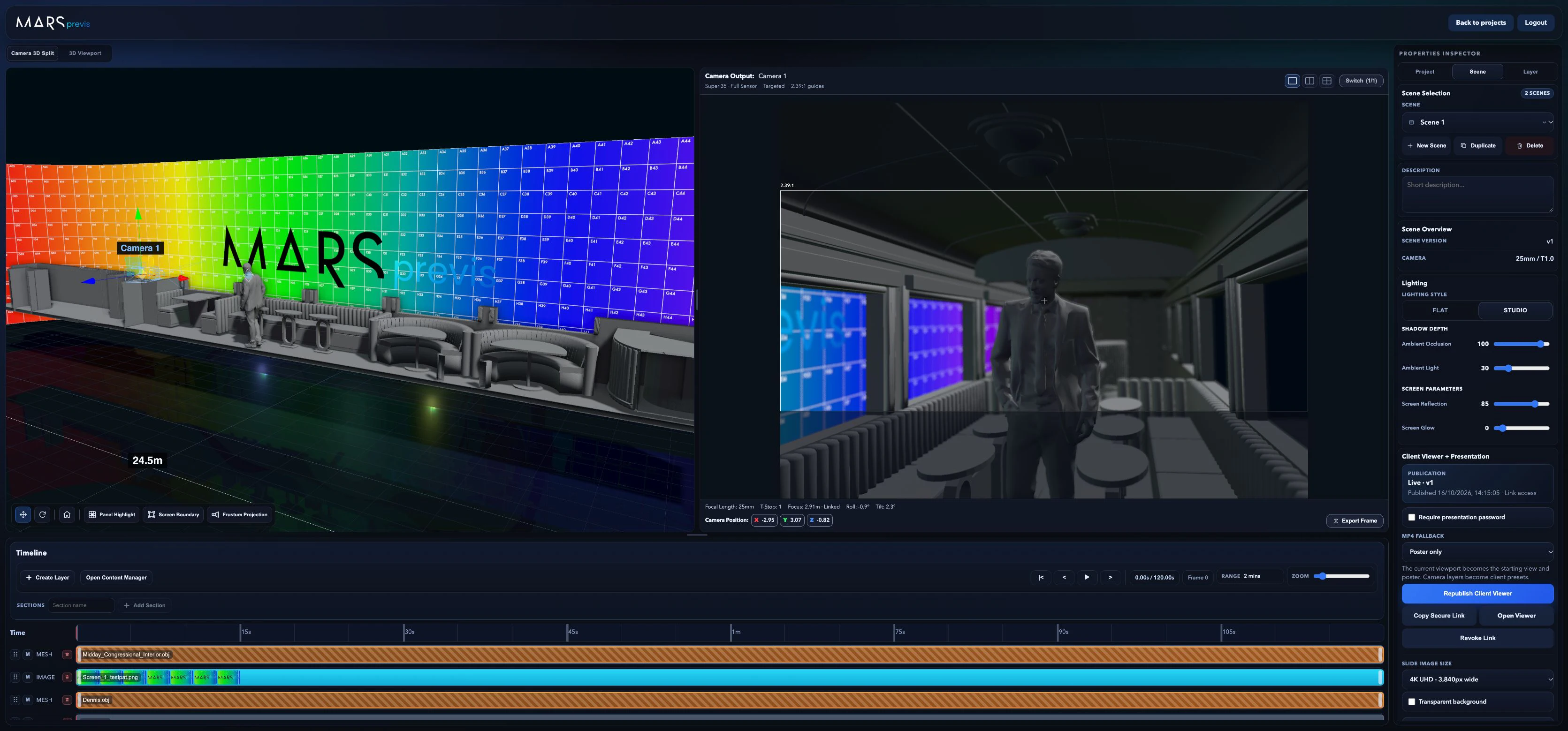
Compare the stage view with the 25 mm Super 35 camera. The 2.39:1 guides show where the carriage windows fall in frame.